
Aadhaar Status: How to Check Enrolment and Update Status Easily
Aadhaar is a 12-digit unique identification number given by UIDAI to every resident of India. It is used for many things like banking, mobile connections, government schemes, and digital services.
After enrolling for a new Aadhaar or updating your details, checking the status might be your next concern. In this article, we explain how you can check your Aadhaar status.
Aadhaar Enrolment & Update Status
Check your Aadhaar enrolment status and track updates online.
Aadhar Enrolment and Update Status Meaning
Aadhaar enrolment and update status help you track the progress of your new Aadhaar or any changes made to your existing Aadhaar:
- Aadhaar Enrolment Status: When you apply for a new Aadhaar at an Aadhaar Seva Kendra (ASK) or enrolment centre, you get a 28-digit Enrolment ID (EID). Enrolment status shows if your Aadhaar number has been created.
- Aadhaar Update Status: If you update details such as name, address, or mobile number, you receive an Update Request Number (URN) or an EID. The update status shows whether your changes have been processed in the system.
Why Checking Aadhaar Status is Important
Checking your Aadhaar status is important, as it lets you know whether your Aadhaar number is ready and whether your updates have been processed. It will also help you avoid delays or problems when using services like banking, mobile connections, or government schemes.
Check if Your Aadhaar is Generated
After enrolment, generating an Aadhaar may take 10–90 days. By checking the status, you can see exactly when it is ready and start using it for services immediately.
See if Your Updates Are Completed
If you update any details in your Aadhaar, the changes might take some time to process. Checking the status shows whether your details have been updated correctly, so you can download the updated Aadhaar without any issues.
Use Services Without Delay
Aadhaar is needed for many things like bank accounts, SIM activation, government subsidies, and digital payments. By checking the status, you can avoid waiting and start using these services as soon as your Aadhaar is ready.
Fix Mistakes Quickly
Sometimes mistakes happen during enrolment or updates. By checking your status regularly, you can spot errors early and request corrections before they cause bigger problems.
Understanding Reference Numbers
When checking your Aadhaar progress, you need some special numbers that help the system find your application quickly. These numbers make it easier to know the status of your enrolment or updates.
- Update Request Number (URN): This 14-digit number is assigned when you change details such as your name, address, or mobile number. It helps you see if your update is complete.
- Enrolment ID (EID): A 28-digit number given when you apply for a new Aadhaar. It is printed on the slip you get at the centre and is used to check enrolment progress.
- Service Request Number (SRN): A 10-digit number provided when you ask for address verification or correction. It helps track the specific request until it is finished.
These numbers are important, so keep them safe for checking status or downloading your Aadhaar.
Prerequisites to Check Aadhaar Status
Before checking your Aadhaar enrolment or update status, you need some important details. Having these ready will make the process faster and easier.
- Enrolment ID (EID): 28-digit ID (14-digit enrolment number + 14-digit timestamp) from your enrolment or update acknowledgement slip.
- Update Request Number (URN): 14-digit number given for updates, if applicable.
- Aadhaar Number: 12-digit number, used if you don’t have an ID or URN.
- Registered Mobile Number: The phone number that is linked to your Aadhaar for OTP verification (you might need it in some methods).
- Acknowledgement Slip: Contains your EID or URN for reference.
Note: Keep your EID, URN, and acknowledgement slip safe, as you will need them to check your Aadhaar status. If you have lost your EID or URN, you can retrieve it online from the My Aadhaar portal by providing your full name, registered mobile number or email, and completing the OTP verification.
Methods to Check Aadhaar Status
Once you have your EID, URN, or Aadhaar number ready, you can easily check the progress of your enrolment or updates. There are different ways to track your Aadhaar status:
UIDAI Website (My Aadhaar Portal)
You can check your Aadhaar status quickly on the official UIDAI website. Follow these steps:
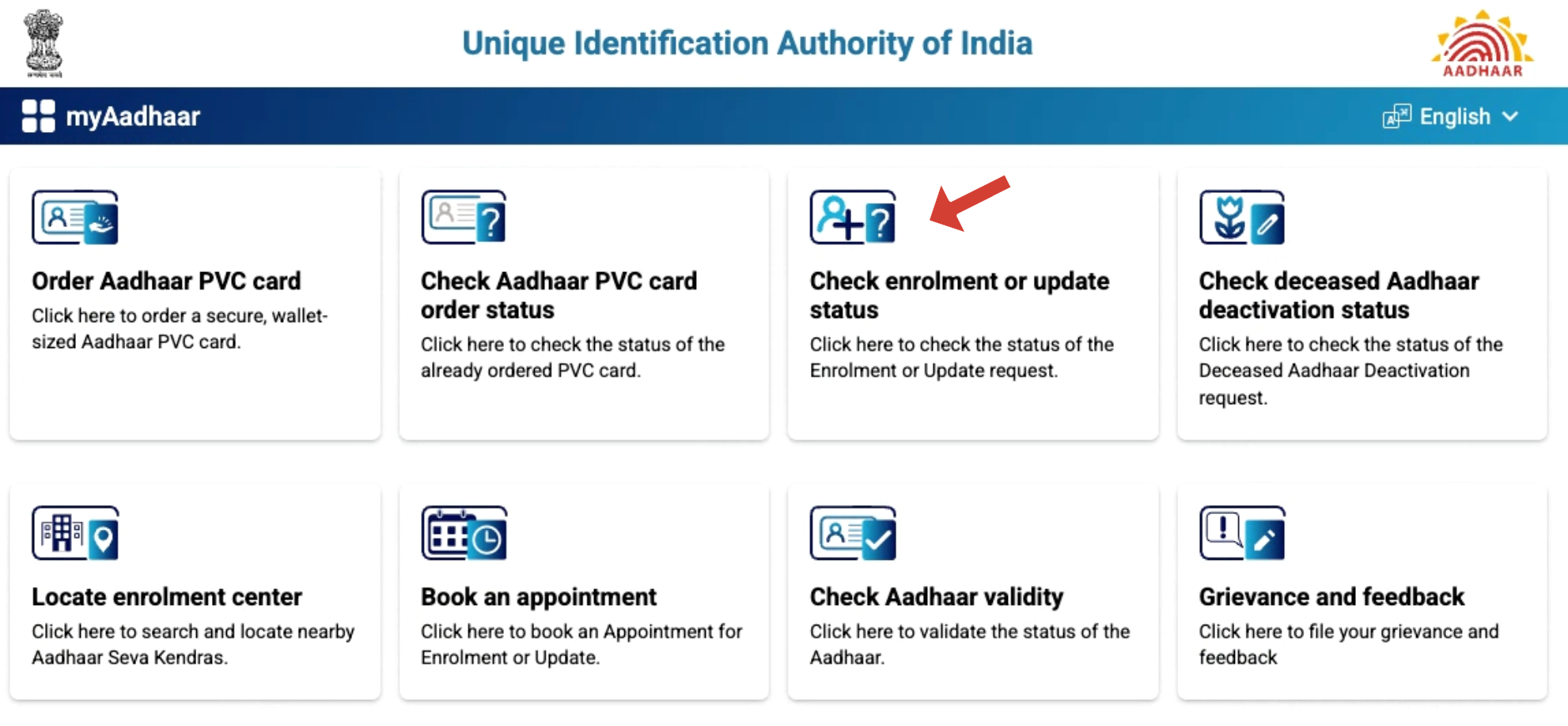
- Visit the Portal: Go to myaadhaar.uidai.gov.in and find the “Check Enrolment or Update Status” section.
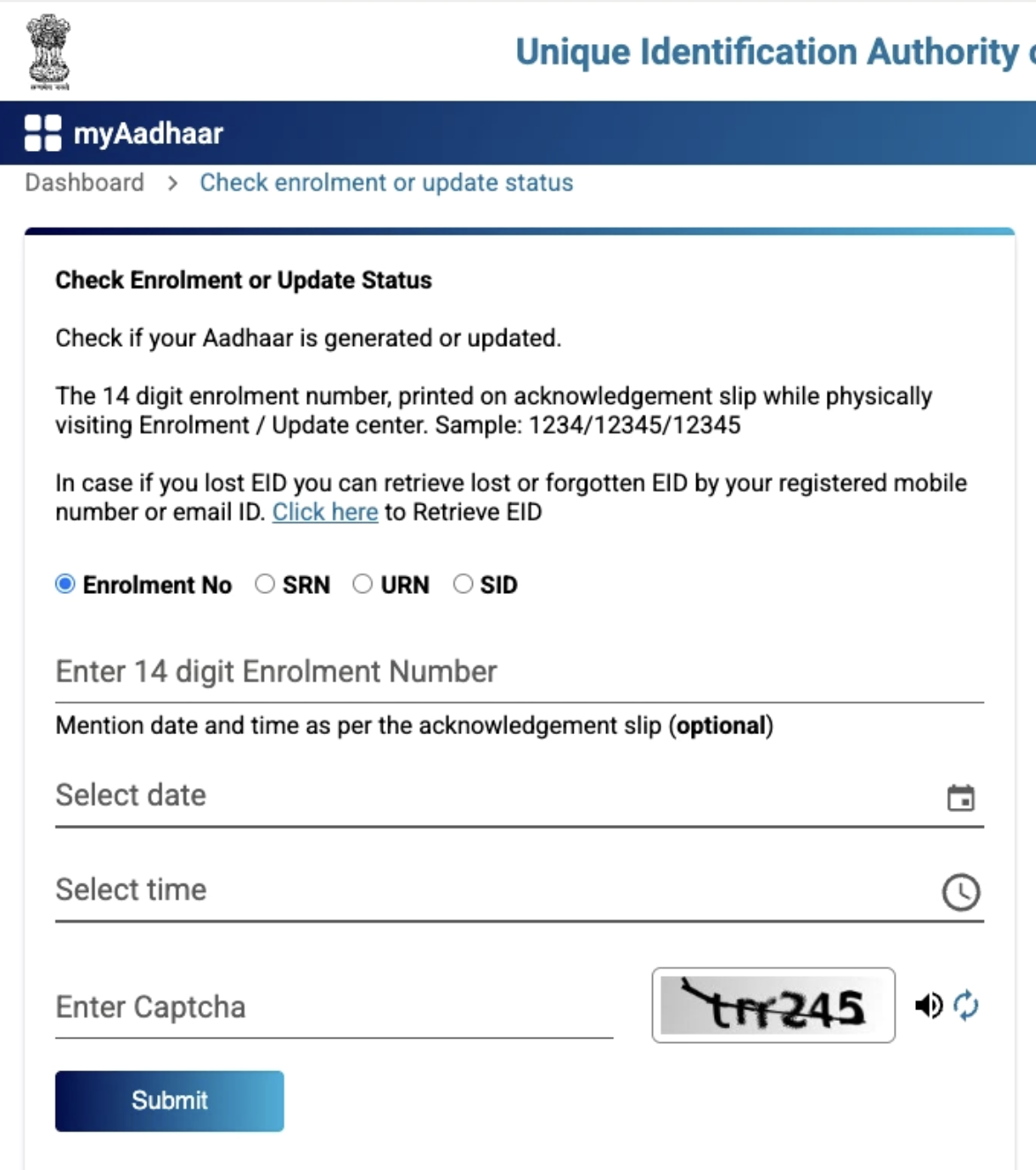
- Enter Details: Fill in your 28-digit EID, URN, or Aadhaar number and the captcha code shown on the screen.
- Submit Information: Click Submit to see your current status, like “Under Processing” or “Aadhaar Generated.”
Usually, enrolment takes 10–90 days, and updates take 10–30 days. You may also receive a notification on your registered mobile number or email.
mAadhaar App
You can also check your Aadhaar status using the mAadhaar mobile app, which is simple and fast. The app works on all Android and iOS devices.
- Download the App: Install mAadhaar from the Google Play Store or App Store.
- Open and Select Language: Choose your preferred language on the main screen.
- Go to the Status Section: Tap “Enrolment & Update Status” in the menu.
- Enter Details: Fill in your 28-digit EID or URN and the captcha code.
- Check Status: Tap Check Status to see progress.
- Download e-Aadhaar: If Aadhaar is ready, use OTP to download.
UMANG App
Tracking your Aadhaar status is possible using the UMANG app, which connects multiple government services in one place. It is easy to use on both Android and iOS devices.
- Download the App: Install UMANG from Google Play Store, App Store, or visit https://web.umang.gov.in/landing/department/aadhaar.html
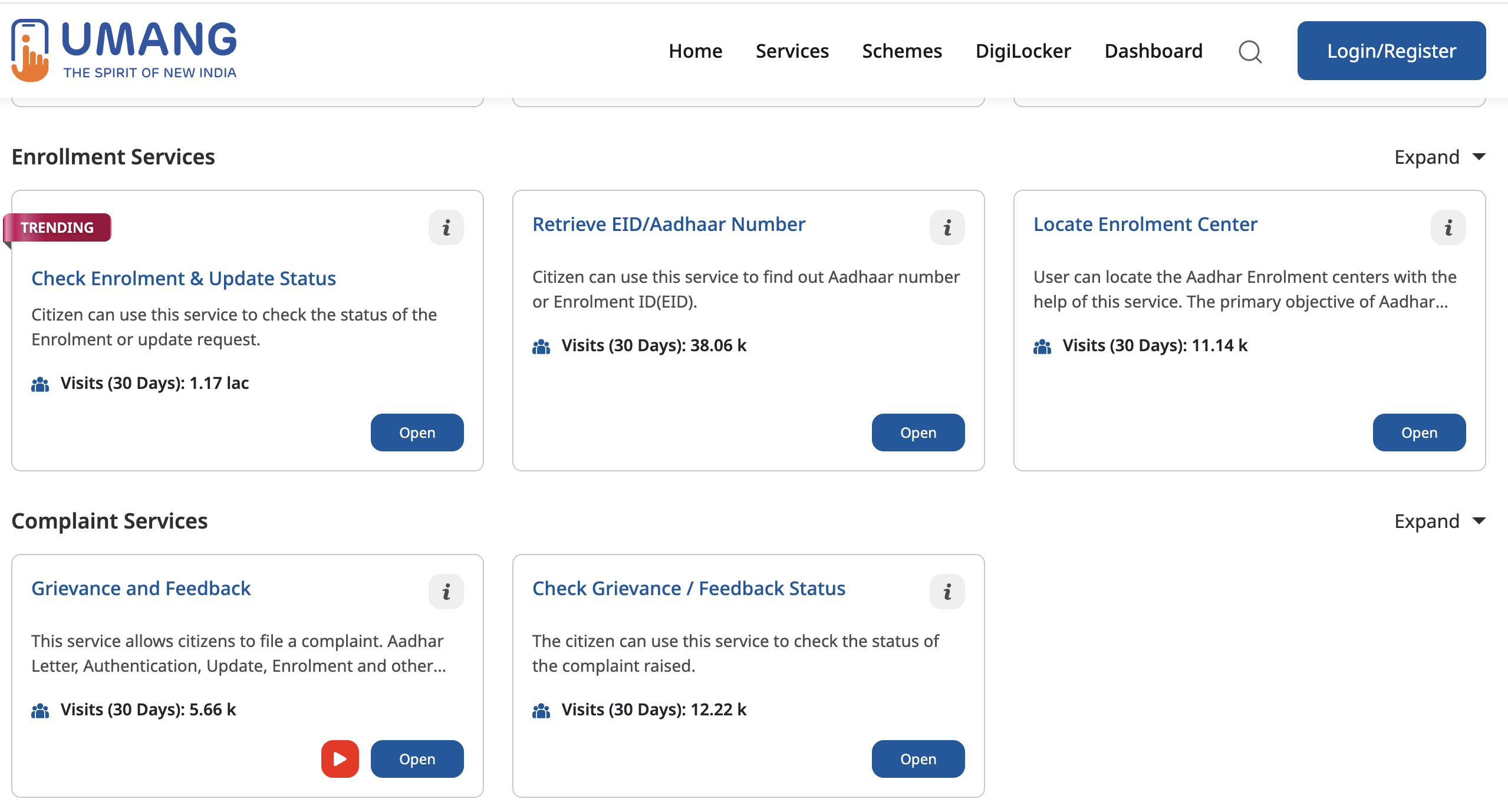
- Check Status: Click on Check Enrolment & Update Status
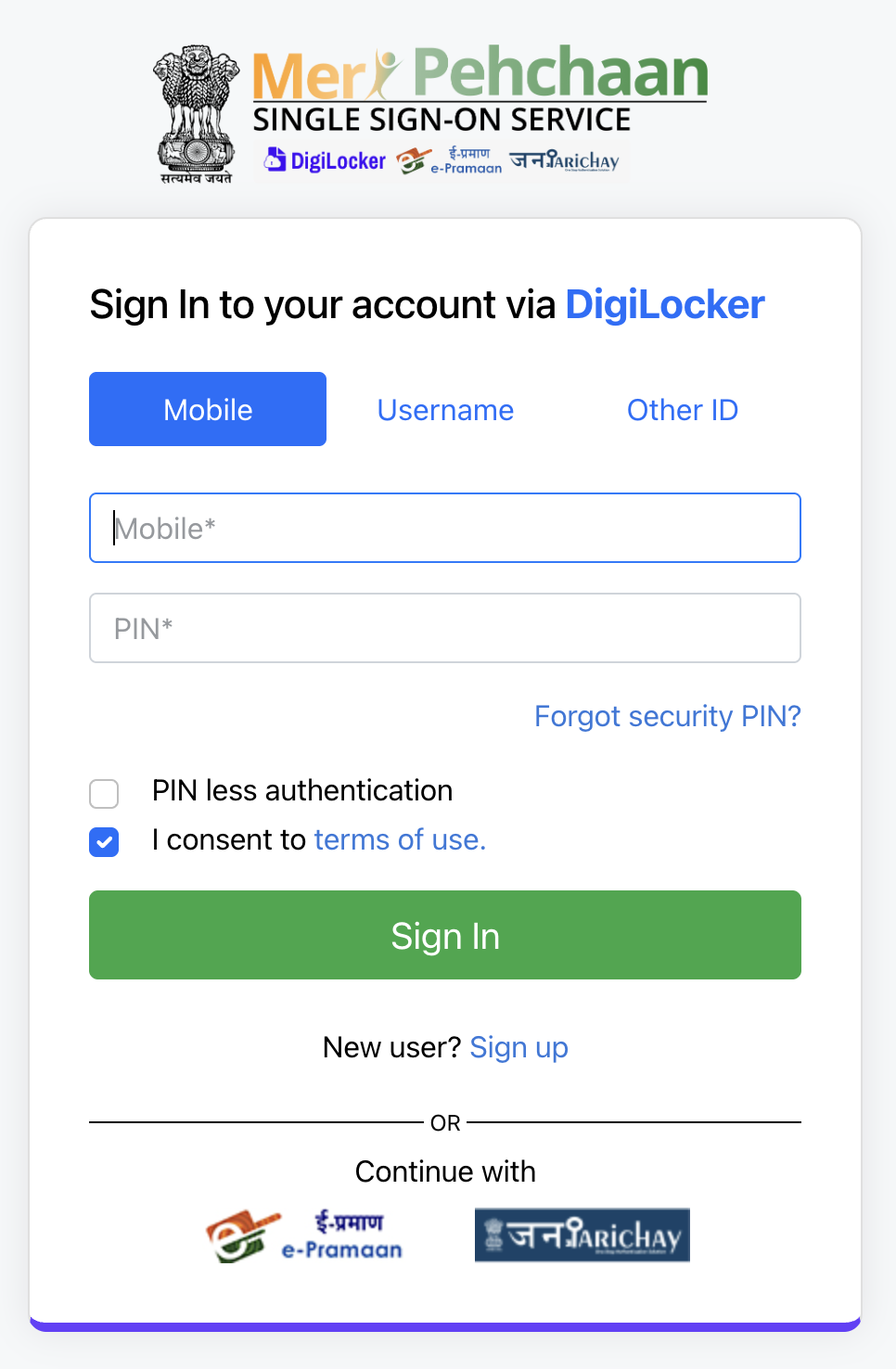
- Login or Register: Use your mobile number or email and verify with OTP.
- Check Status: Tap Check Enrolment & Update Status and enter your 28-digit EID or URN with captcha.
- View Progress: Status like “Under Processing” or “Aadhaar Generated” will appear.
Toll-Free Number
To check your Aadhaar status, call the toll-free number 1947. This method is easy and works without an internet connection. Follow the voice instructions to hear the progress of your enrolment or update.
Check Your Aadhaar Status
Checking your Aadhaar status helps you know the progress of your enrolment or updates. It makes sure you get your Aadhaar on time and avoids delays in services. Use the website, apps, or toll-free number to easily track your application. Check your Aadhaar status now to stay updated and access all benefits without any problems.
Need help downloading your Aadhaar, updating your details, or checking your status? Visit My Aadhaar UIDAI Guide — your trusted source for all Aadhaar services.