
My Aadhaar UIDAI – Download Aadhaar, Check Status, Update 2026
Aadhaar is a 12-digit unique identity number given to every person living in India. It is managed by the Unique Identification Authority of India (UIDAI), which is under the Government of India. The main purpose of Aadhaar is to make it easy for people to prove their identity and get government or private services without any trouble.
To help people use Aadhaar online, UIDAI created the My Aadhaar portal (myaadhaar.uidai.gov.in). Through this website, anyone can download their Aadhaar card, update personal details, check the status of their application, or order a PVC card from home.
This guide explains all the services available on the portal and how you can use them safely and easily.
All your Aadhaar tools in one place
Access Aadhaar services online — update details, download e-Aadhaar, track status, and more.
Adhaar in Daily Use
Aadhaar helps in opening bank accounts, getting mobile SIMs, using government schemes, and making digital payments. People also use it for school admissions, exams, job applications, and passport services. It makes daily tasks simpler and faster for everyone.
Login Process for My Aadhaar Portal
To use all Aadhaar services online, you first need to log in to the My Aadhaar portal. The login process is quite simple, and lets you access your Aadhaar dashboard from anywhere.
How to Login to My Aadhaar Portal
- Visit the Portal: Go to myaadhaar.uidai.gov.in and click on the “Login” button.
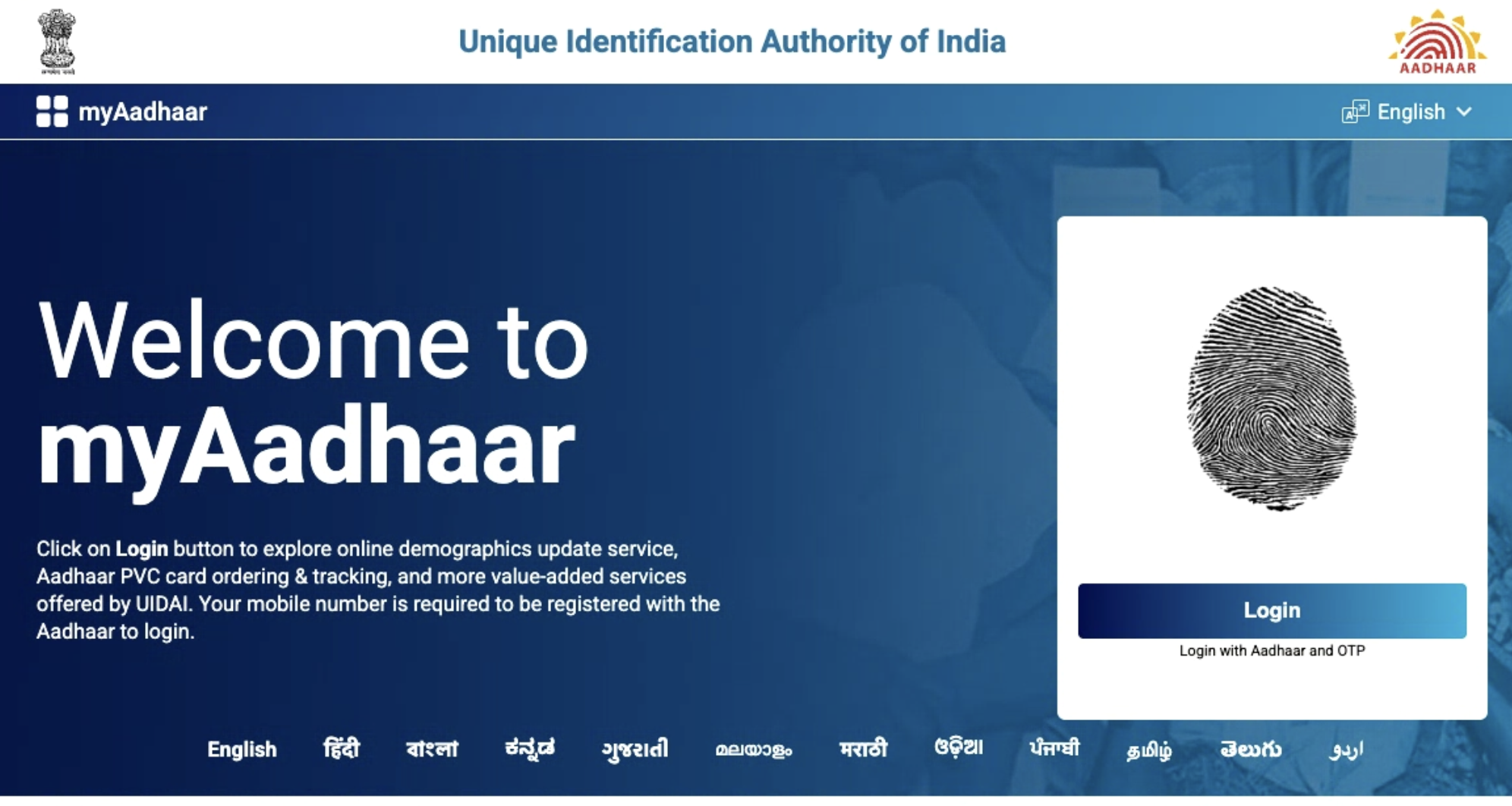
- Enter Details: Type your 12-digit Aadhaar number and the captcha code which will be shown on your screen.
- Authenticate with OTP: Click “Login With OTP”. You will receive a one-time password on your registered mobile number. Enter this OTP and click “Login” to access your dashboard.
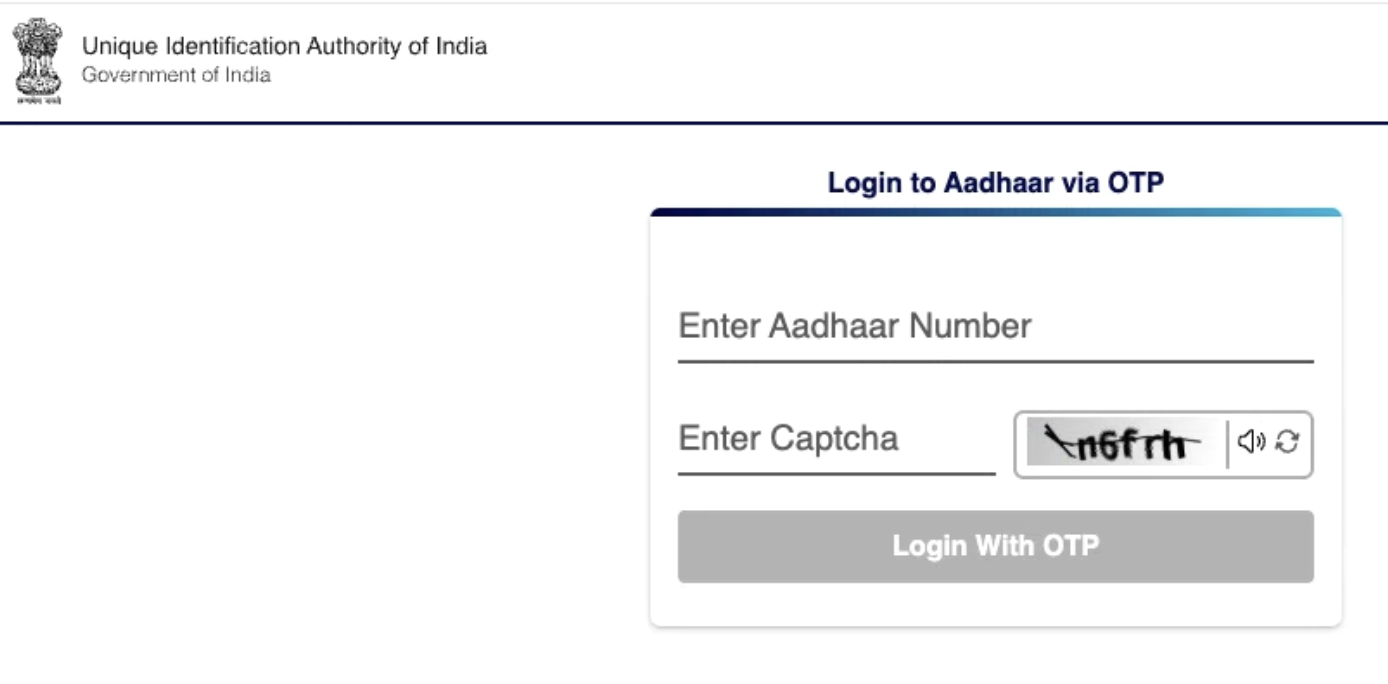
Remember to always keep your mobile number linked to your Aadhaar to receive OTPs and use all online services without any problem.
Services Offered by UIDAI on the My Aadhaar Portal
The My Aadhaar portal offers many online services to help you easily manage your Aadhaar. You can download your Aadhaar, update personal details, track your application, and use other important features without visiting a centre. Below is a guide to all the main services available on the portal:
Download e-Aadhaar
You can get a digital copy of your Aadhaar anytime from the My Aadhaar portal. This e-Aadhaar is legally valid. So, it can be used wherever a physical Aadhaar card is needed.
- Visit the Portal: Go to myaadhaar.uidai.gov.in and click on “Download Aadhaar”.
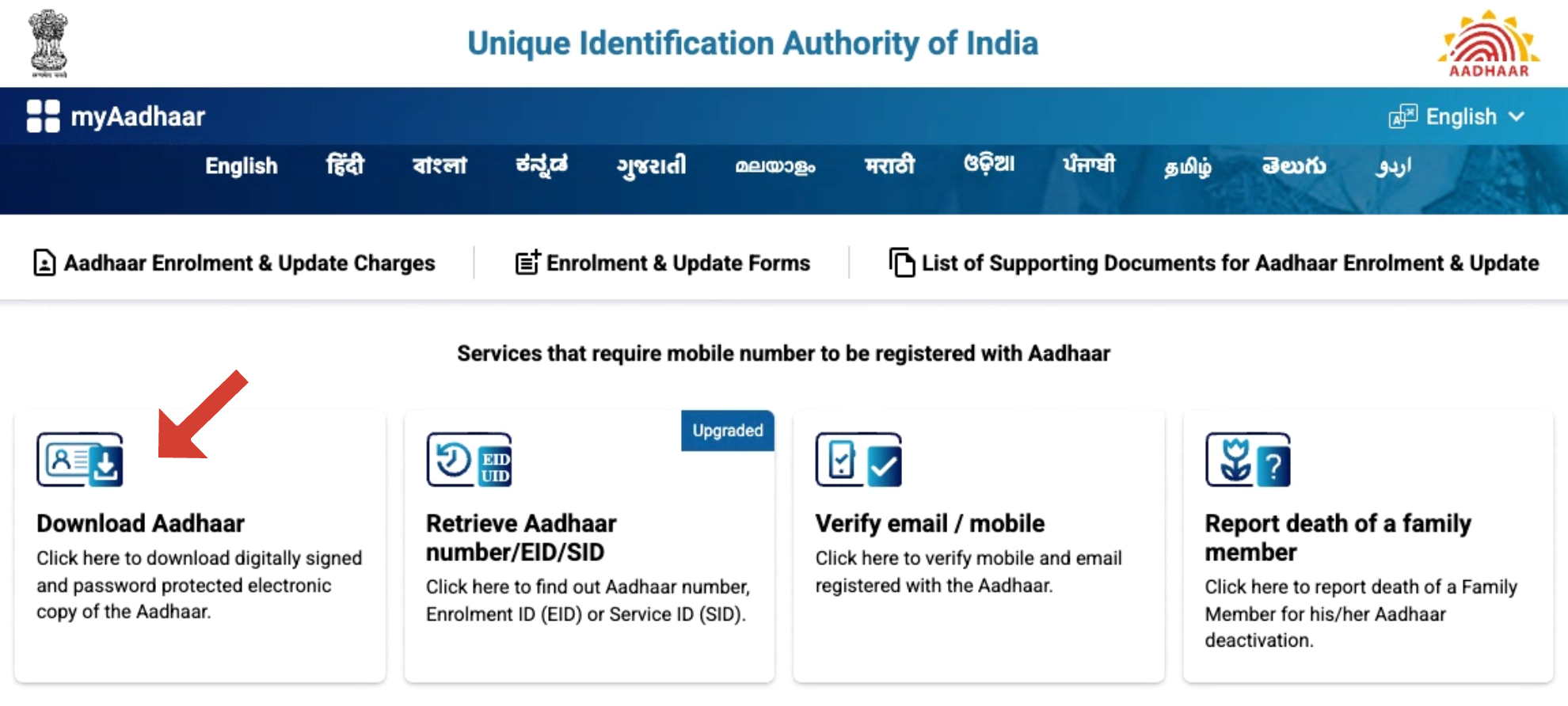
- Enter Your Details: Enter your Aadhaar number, Enrolment ID (EID), Virtual ID (VID), or SID. Then, type the captcha code shown on the screen.
- Authenticate with OTP: Click “Send OTP”. You will receive a one-time password on your registered mobile number. Enter the OTP and continue.
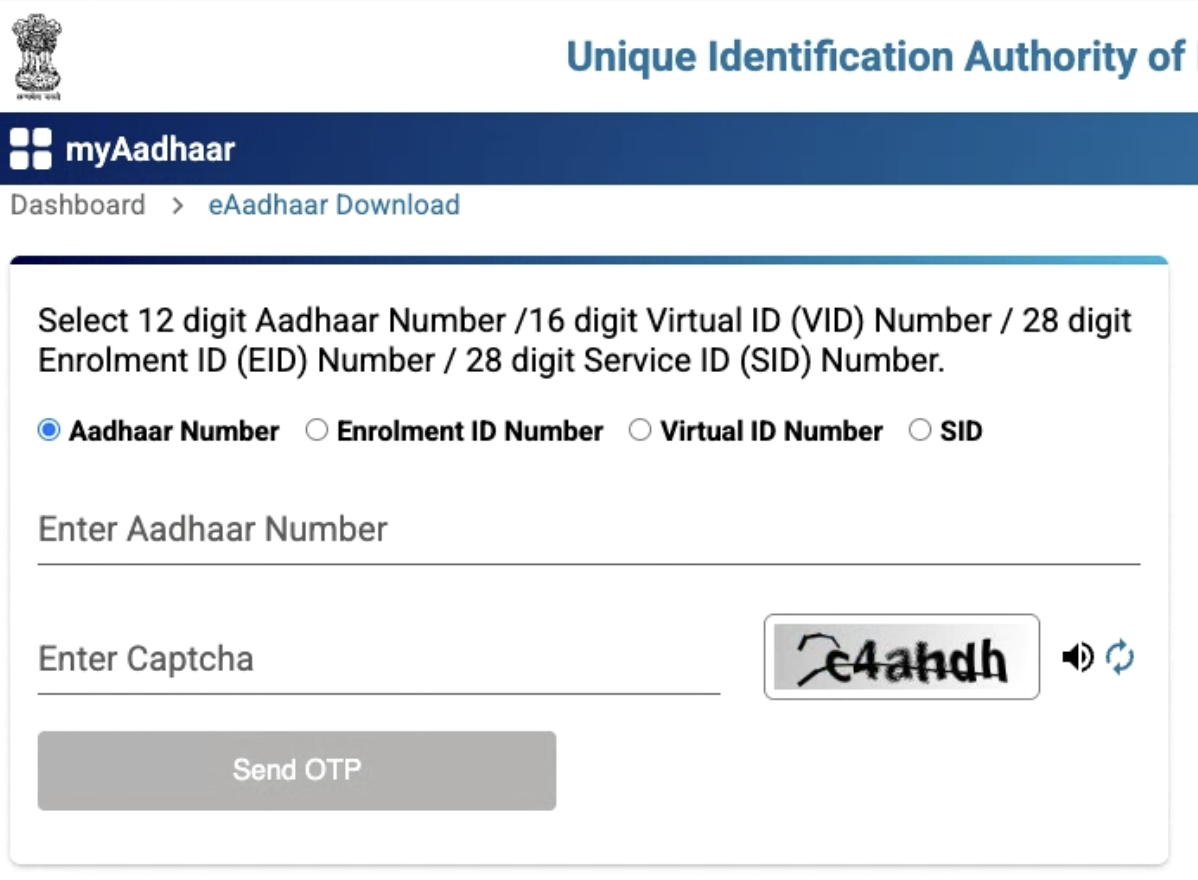
- Download PDF: After verification, download the e-Aadhaar PDF. The file is password-protected. Use the first four letters of your name in CAPITALS, followed by your birth year as the password (for example, PRIY1997).
Update Aadhaar Details
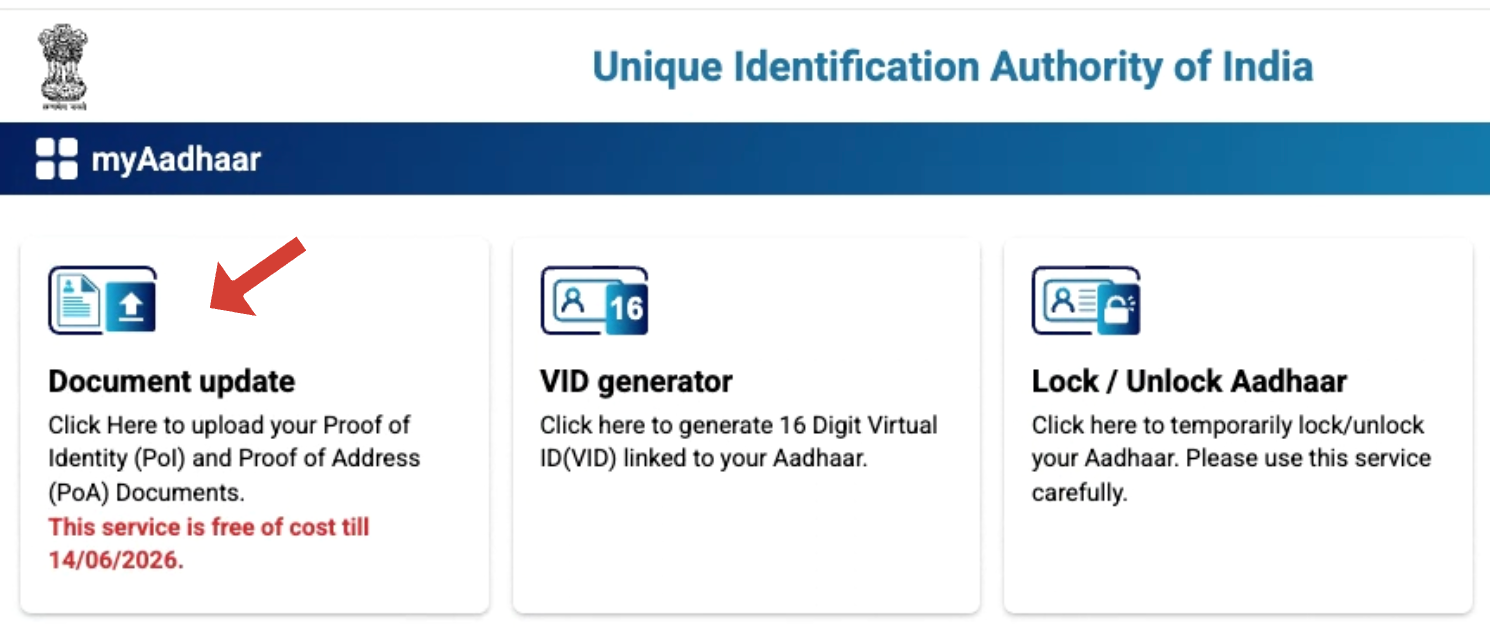
If your personal information has changed or needs correction, you can update it online through the My Aadhaar portal. You can update your details, such as name, address, date of birth, or gender. This process will now cost Rs 75, since the charges have recently been revised and implemented.
- Open Portal: Click on the “Document Update” section.
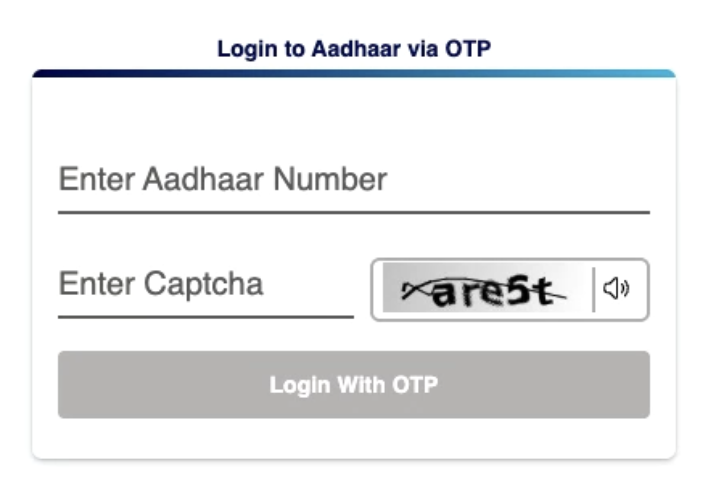
- Login: Use your Aadhaar number and OTP to access the portal.
- Upload Documents: Select “Update Aadhaar” and attach the required documents.
- Submit and Track: Submit your request and note the Update Request Number (URN) to check progress.
Check Enrolment or Update Status
You can check your enrolment status or any updates you requested. This will help you know when your Aadhaar will be ready.
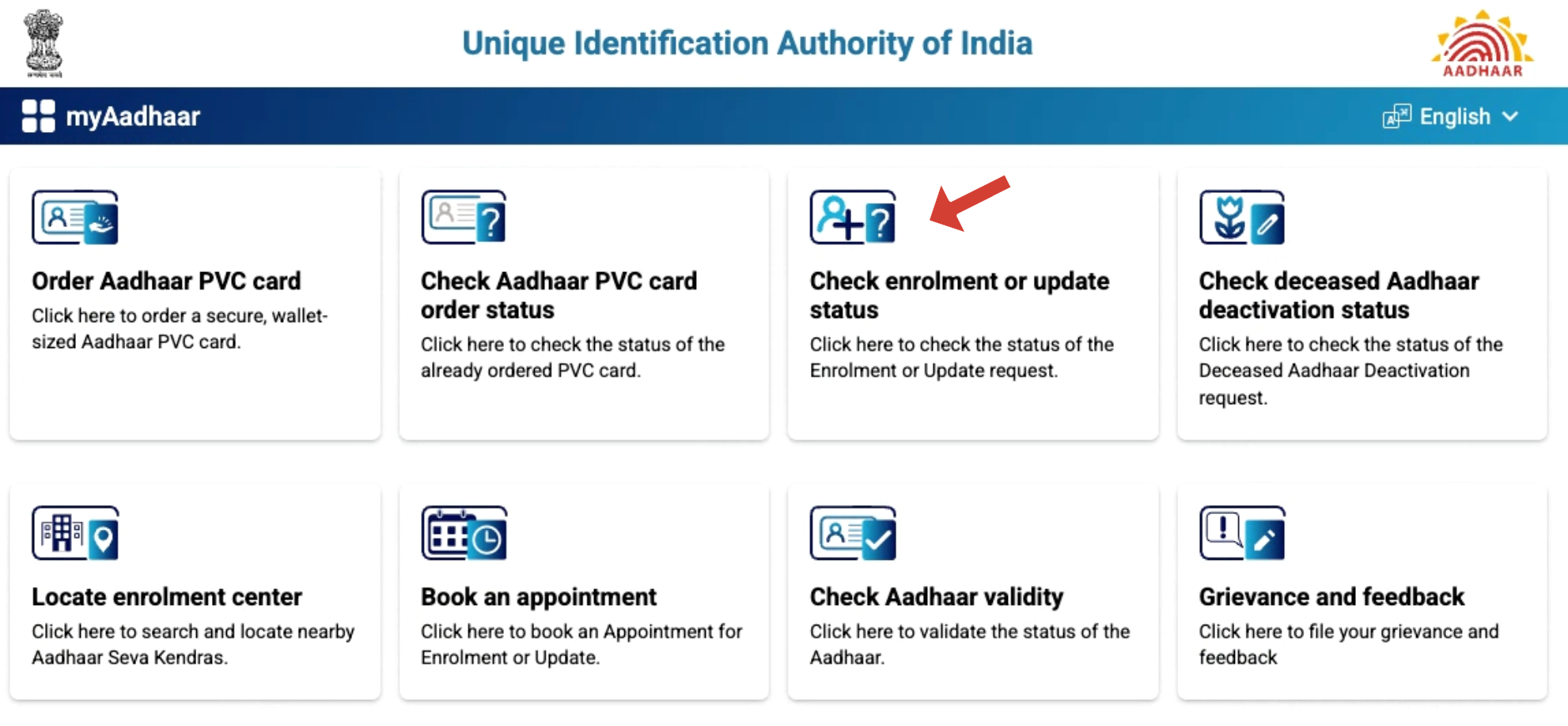
- Visit Portal: Go to the My Aadhaar portal and click on “Check Enrolment & Update Status”.
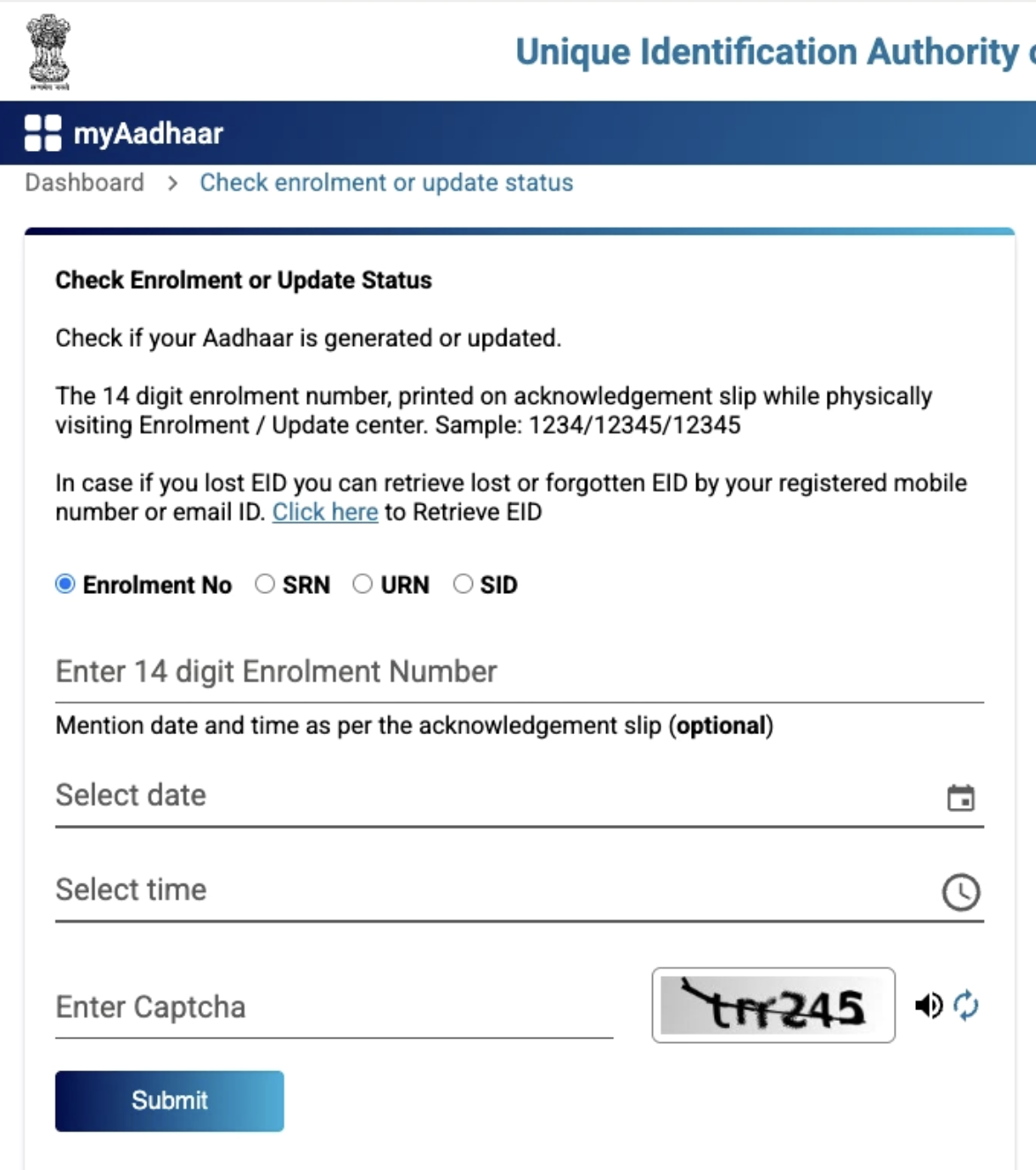
- Enter Details: Provide your Enrolment ID (EID), Update Request Number (URN), or Service Request ID (SID), along with the date, time, and captcha.
- Authenticate with OTP: An OTP is going to be sent to your registered mobile number. Enter it to continue.
- View Status: The portal will display your current status, such as “Under Processing” or “Aadhaar Generated”.
- Check via Phone: You can also dial 1947 from your registered mobile and follow the IVR instructions to hear the status.
Verify Email/Mobile Number
Make sure your registered email address and mobile number are correctly linked to your Aadhaar for smooth access to services.
- Visit myaadhaar.uidai.gov.in and select Verify Email / Mobile.
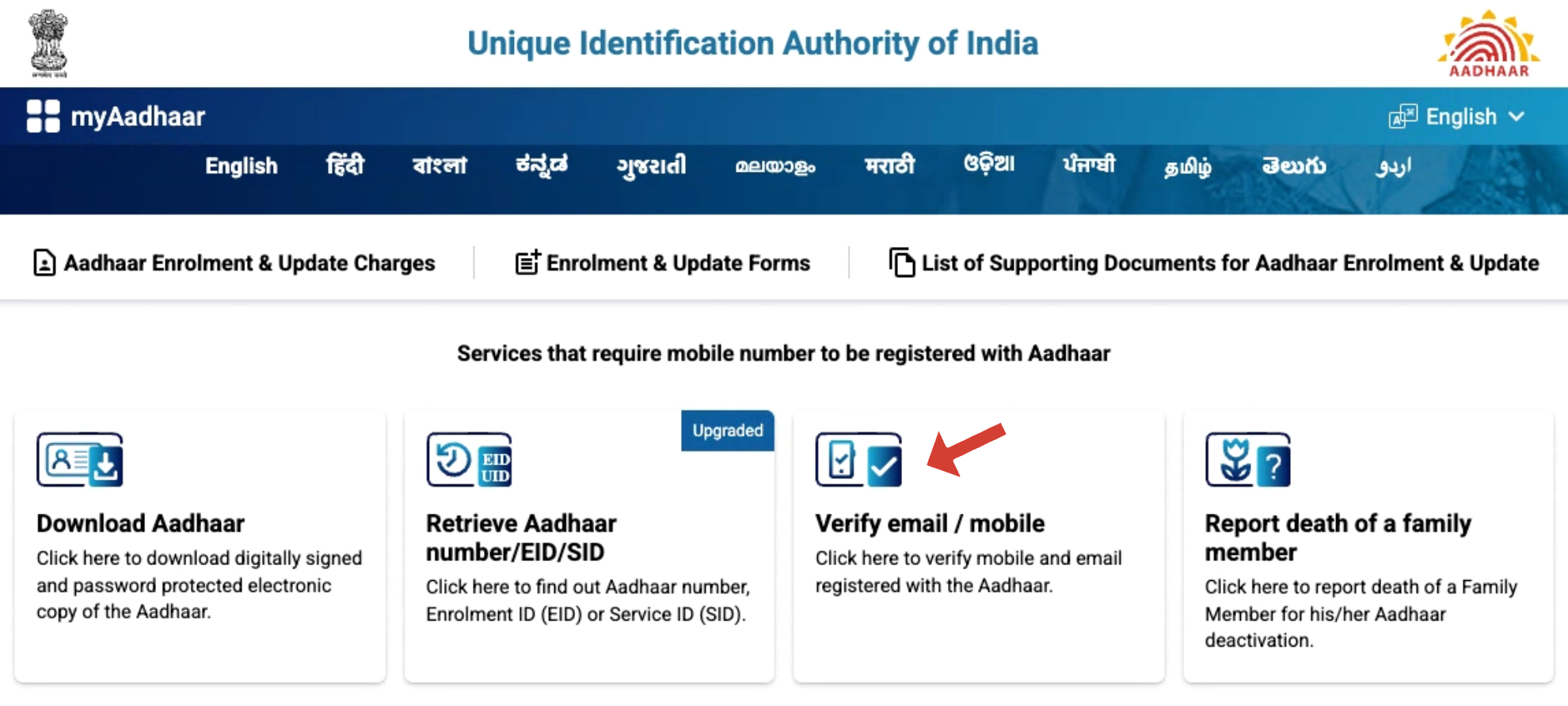
- Enter Aadhaar details: Provide your Aadhaar Number along with your registered mobile number or email address, then fill in the captcha.
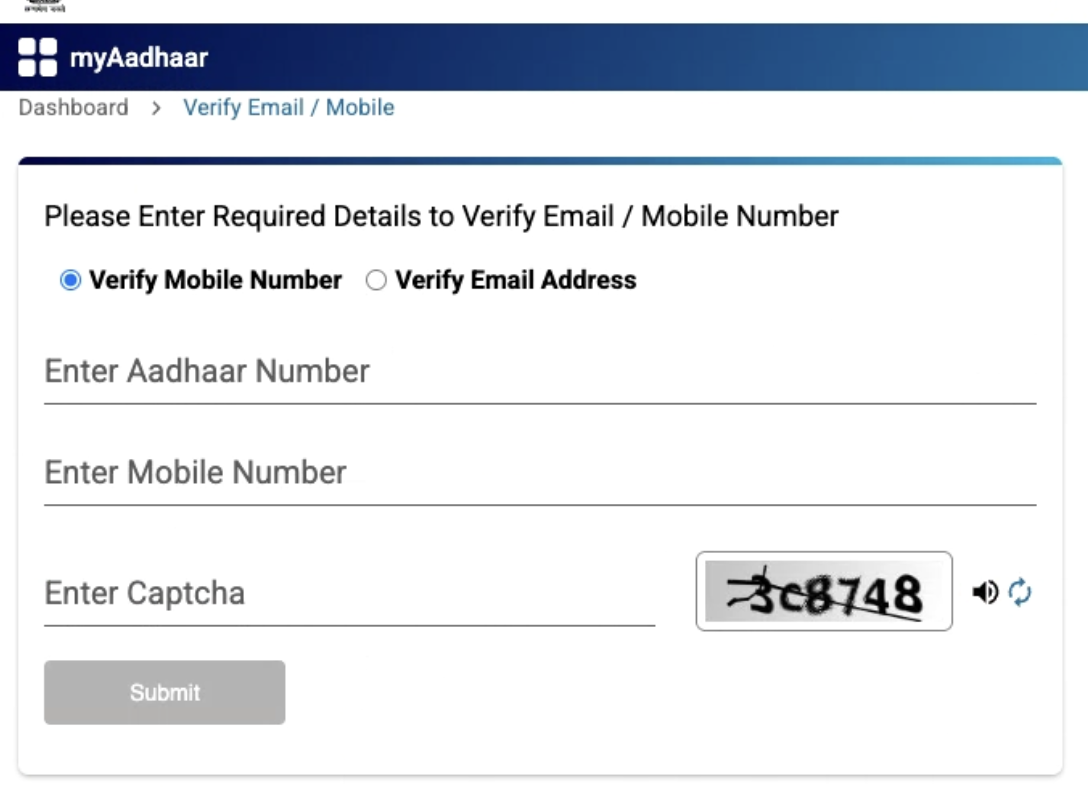
- Authenticate: You’ll receive a one-time password (OTP) on your registered mobile or email. Enter the OTP to proceed.
- Confirmation: If your details are verified successfully, a confirmation message will appear on the screen.
Retrieve Aadhaar or Enrolment ID (EID)
If you forget your Aadhaar number or Enrolment ID, you can recover it online through the My Aadhaar portal.
- Visit Portal: Go to the My Aadhaar portal and click on “Retrieve Aadhaar Number/EID/SID”.
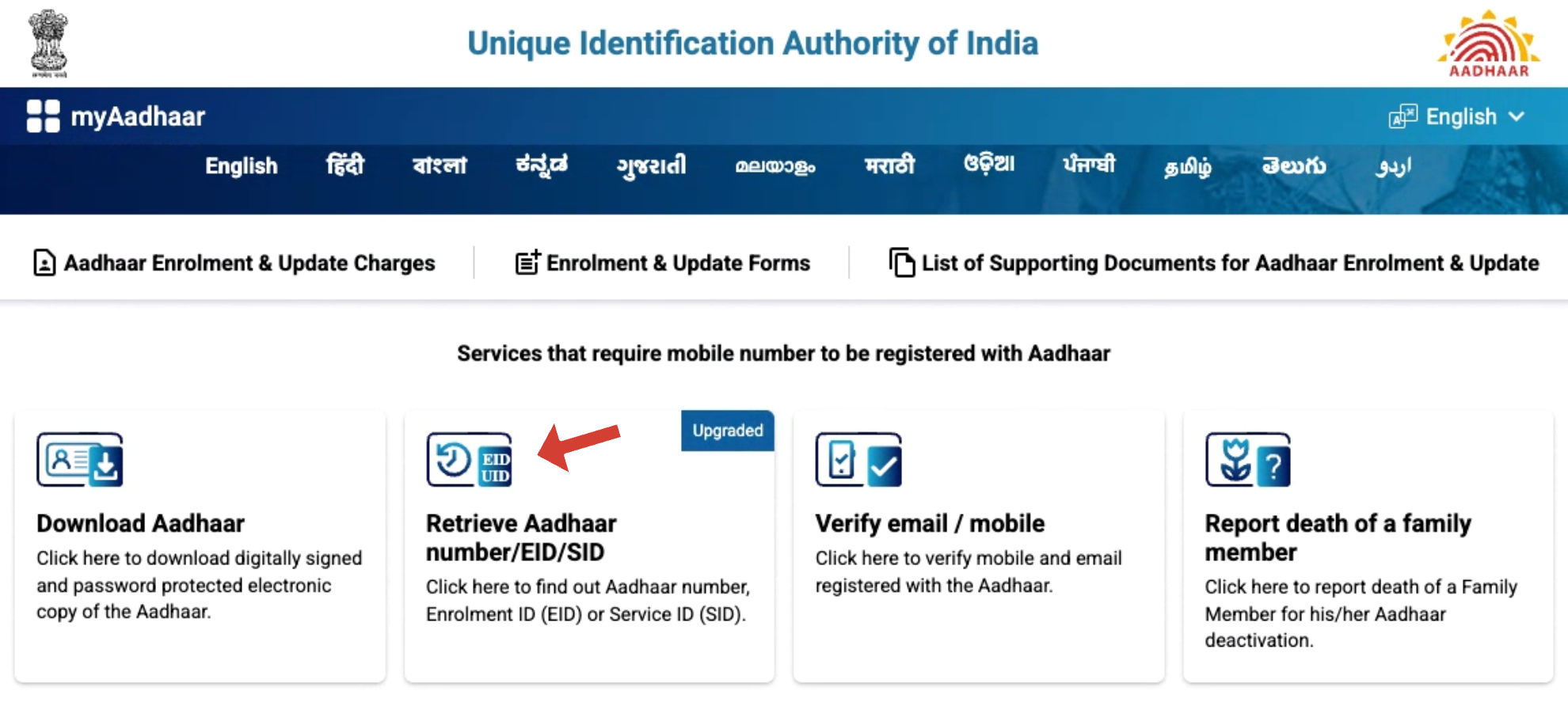
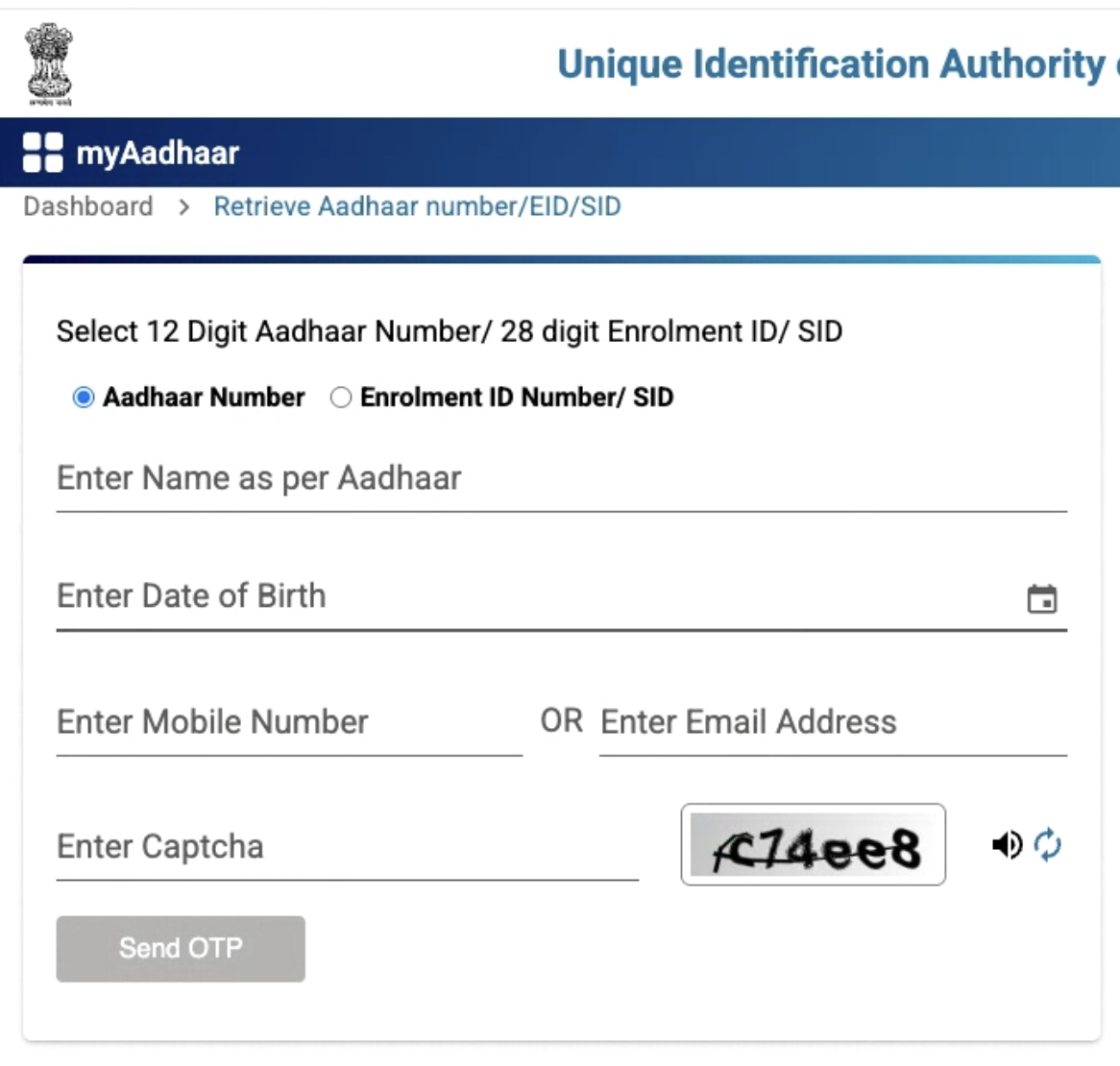
- Enter Information: Fill in your full name, DOB, and registered mobile number or email address.
- Select Option: Choose whether you want to retrieve your Aadhaar number or Enrolment ID.
- Authenticate with OTP: Enter the OTP sent to your mobile or email.
- Receive Number: Your Aadhaar number or EID will be sent to your registered mobile/email.
Order Aadhaar PVC Card
You can get a strong, wallet-sized Aadhaar card that is easy to carry.
- Go to Portal: Visit the My Aadhaar portal and click “Order Aadhaar PVC Card”.
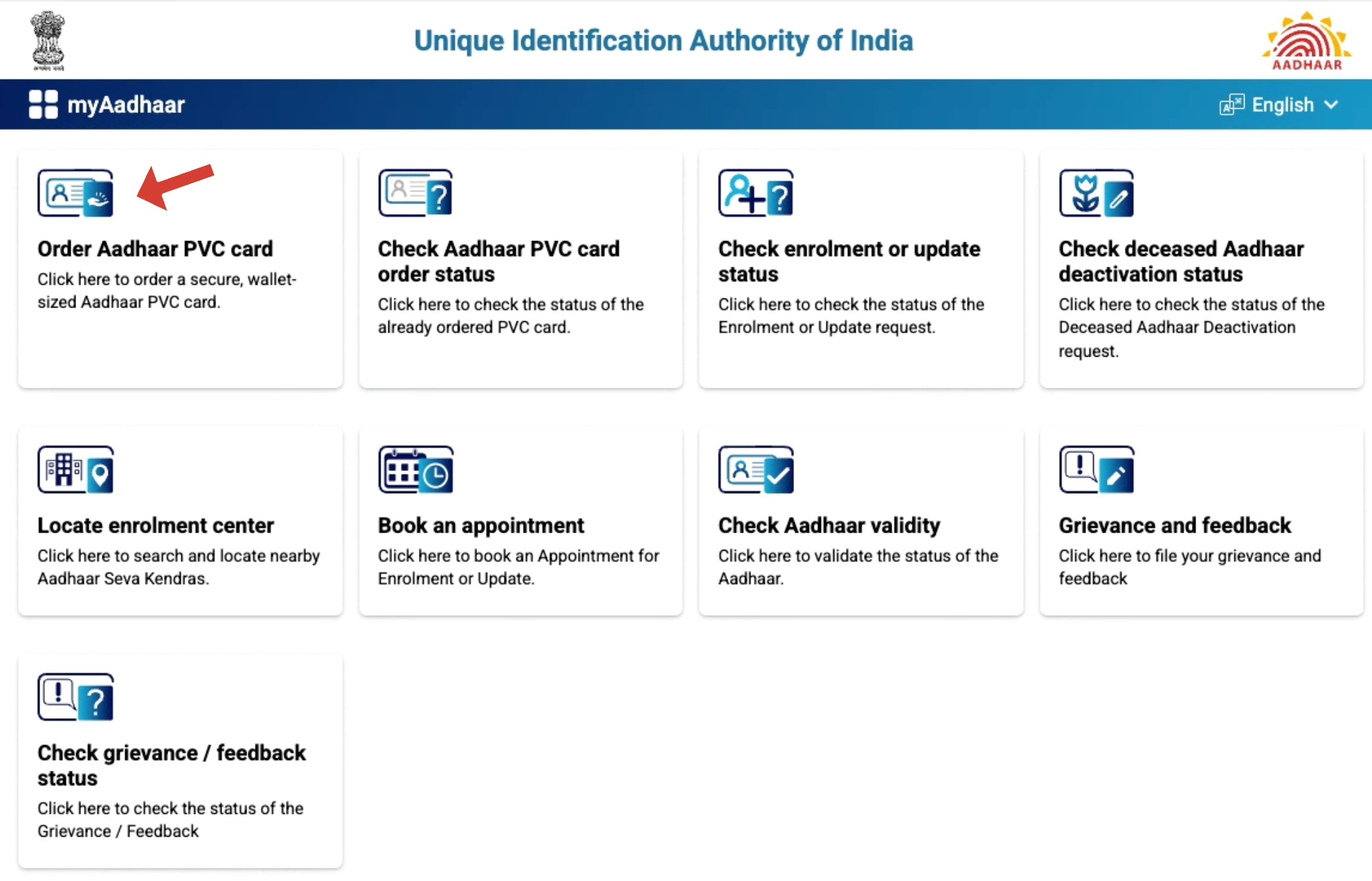
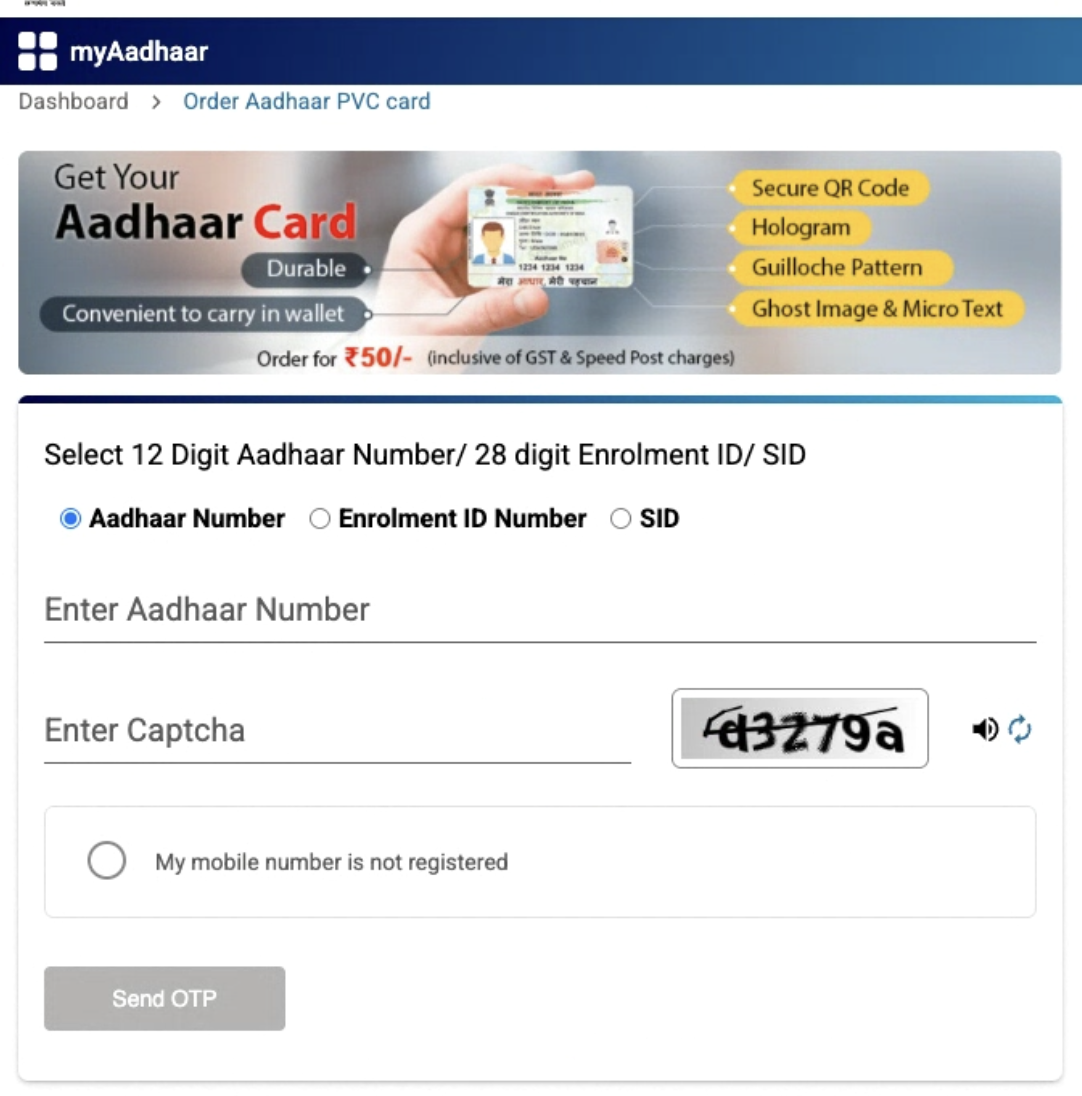
- Enter Aadhaar Number: Type your 12-digit Aadhaar number and the captcha code.
- Pay Fee: Pay ₹50 online (includes GST and delivery).
- Save SRN: Note the Service Request Number (SRN) to check your order.
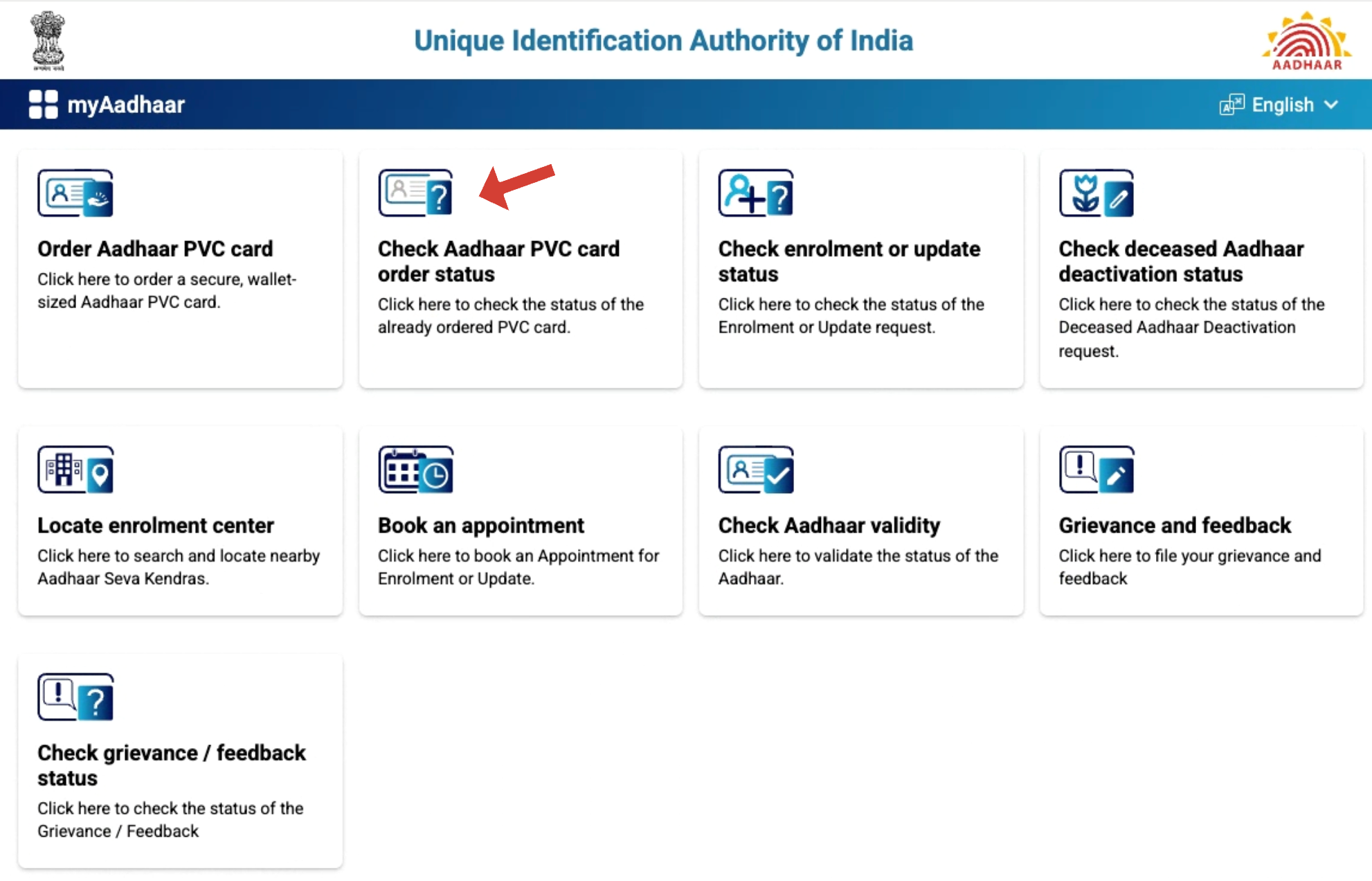
Check Aadhaar PVC Card Status
- On the main Aadhaar page, click on “Check Aadhaar PVC Card Order Status.”
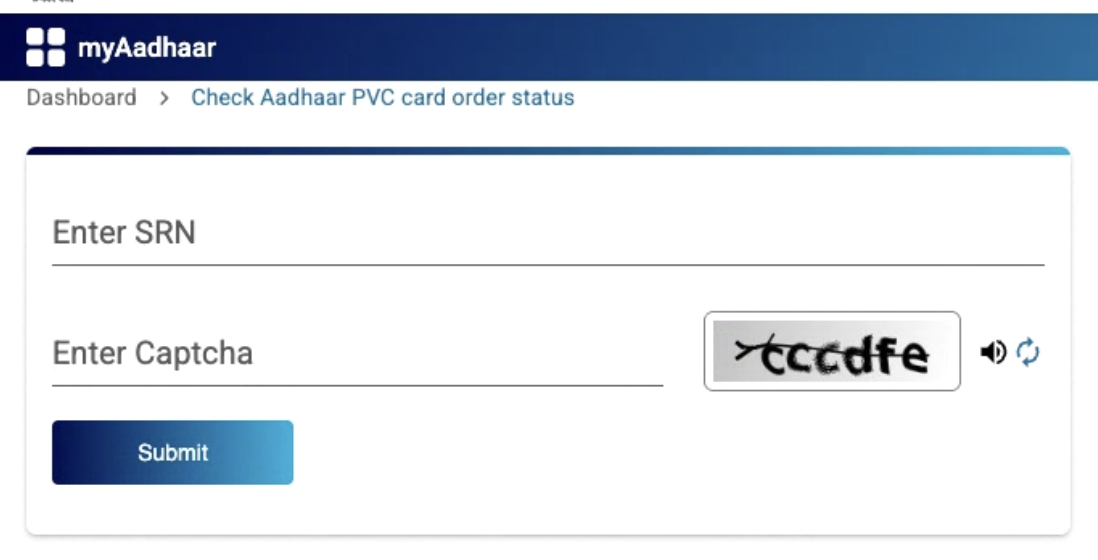
- Provide:
- The 28-digit Service Request Number (SRN) from your payment slip.
- The captcha code.
- You will then need to click ‘Submit’ for the form to be processed.
- Get Card: Your PVC card will be delivered to your address in 5–15 working days.
Locate Aadhaar Enrolment Centres
You can find nearby centres to get a new Aadhaar or update details. The staff there helps with documents and fingerprints.
- Go to Portal: Visit the My Aadhaar portal and click “Locate Enrolment Centre”.
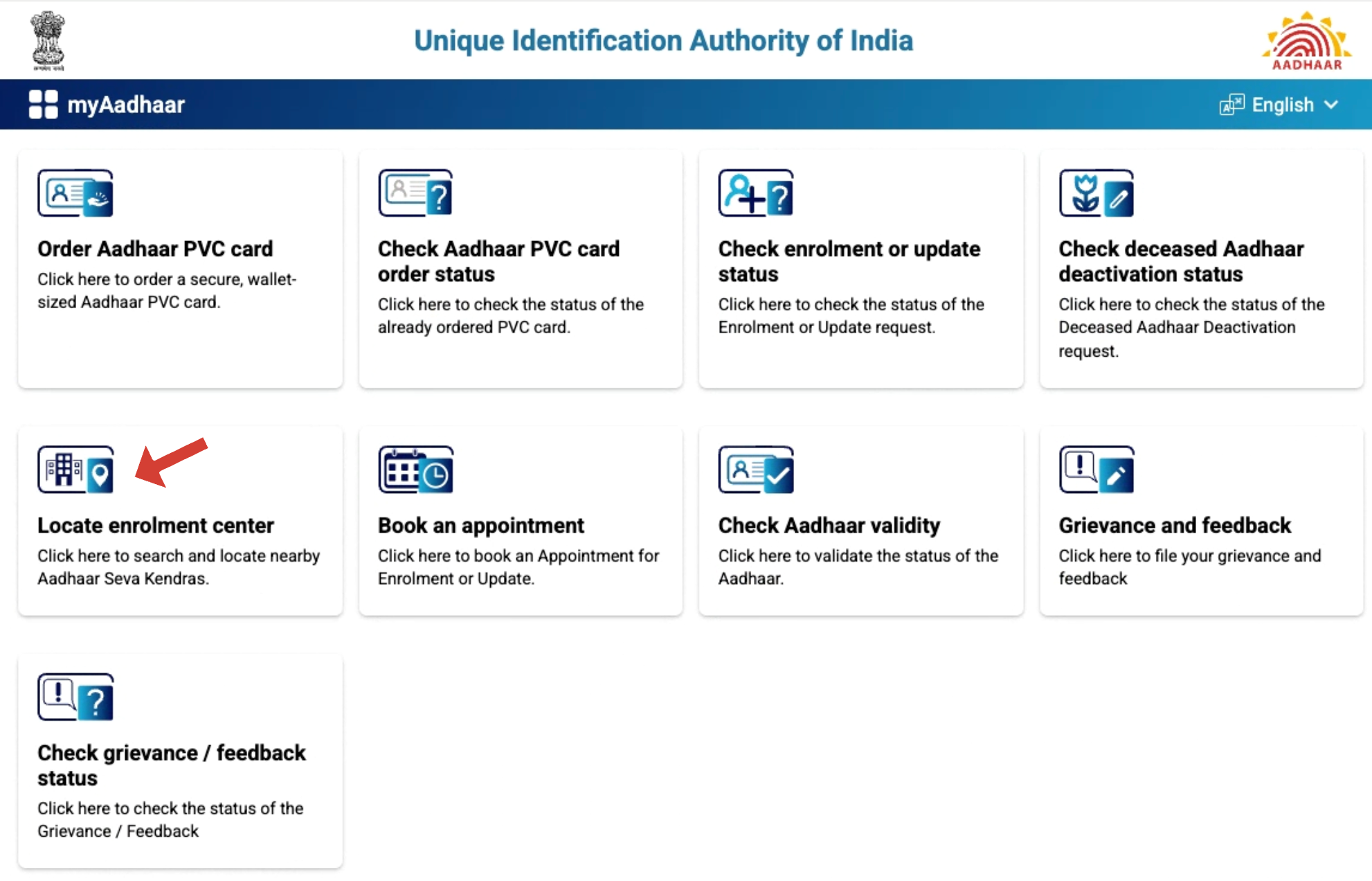
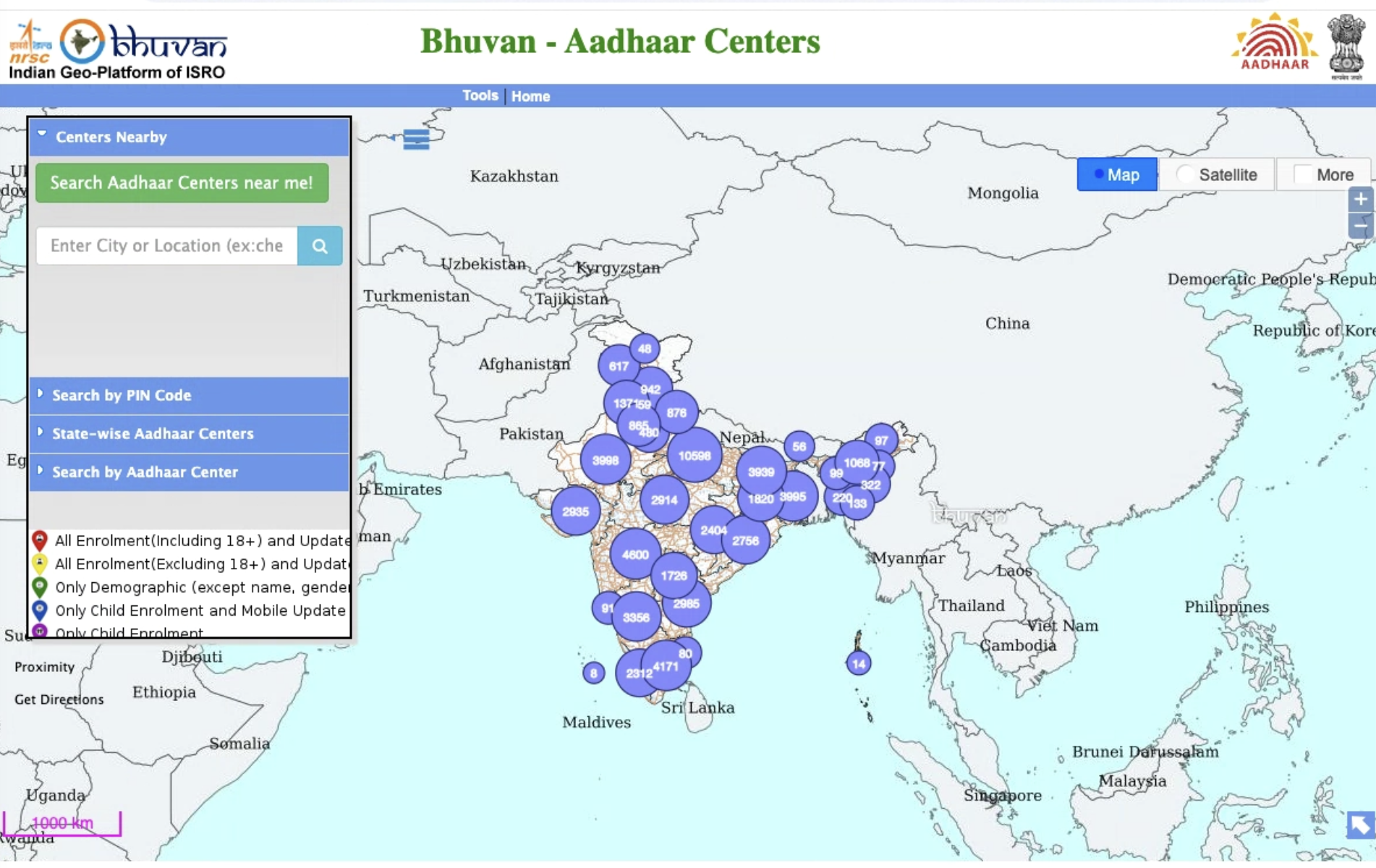
- Enter Your Location: Type your PIN code, city, or state.
- See List: View a list of centres with address and phone number.
- Visit Centre: Go to the centre to enrol or update your Aadhaar.
Generate or Retrieve Virtual ID (VID)
A Virtual ID (VID) is a 16-digit temporary number linked to your Aadhaar. It will keep your Aadhaar safe when you use it online.
- Go to Portal: Visit the My Aadhaar portal and go to “VID Generator”.
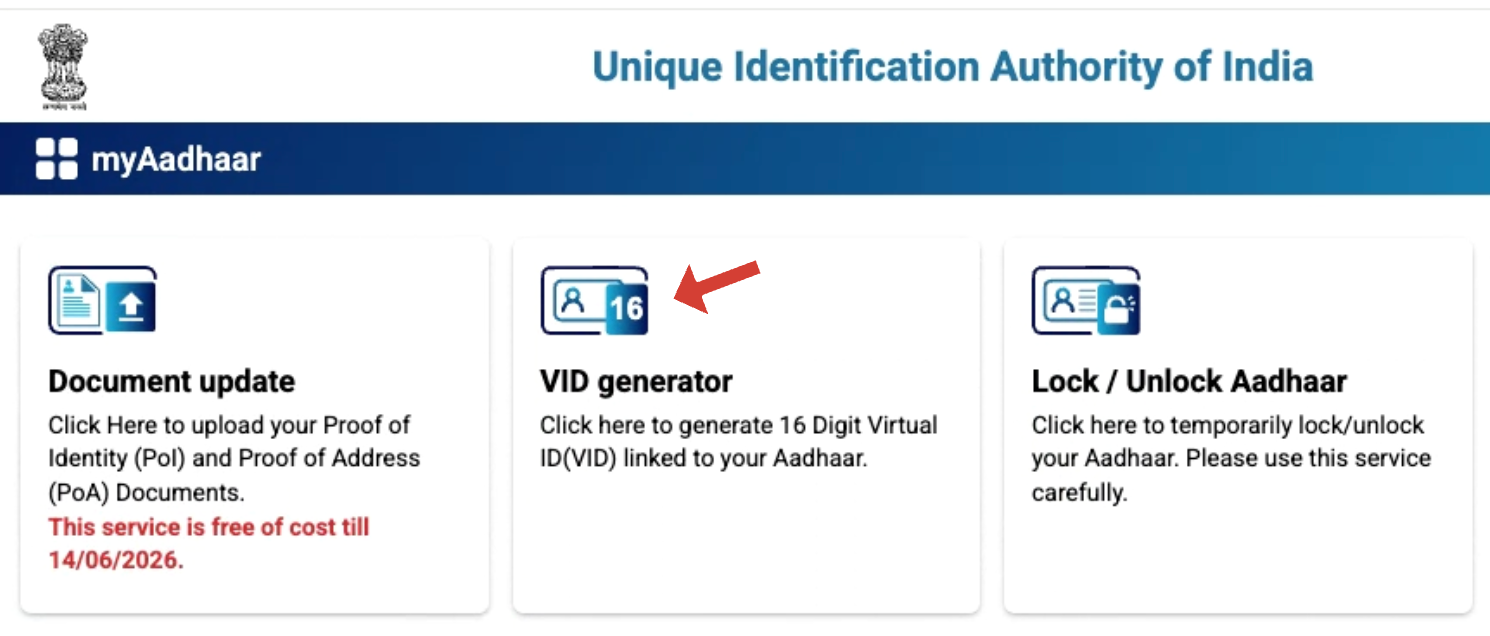
- Log In: Enter your Aadhaar number, the Captcha, and the OTP.
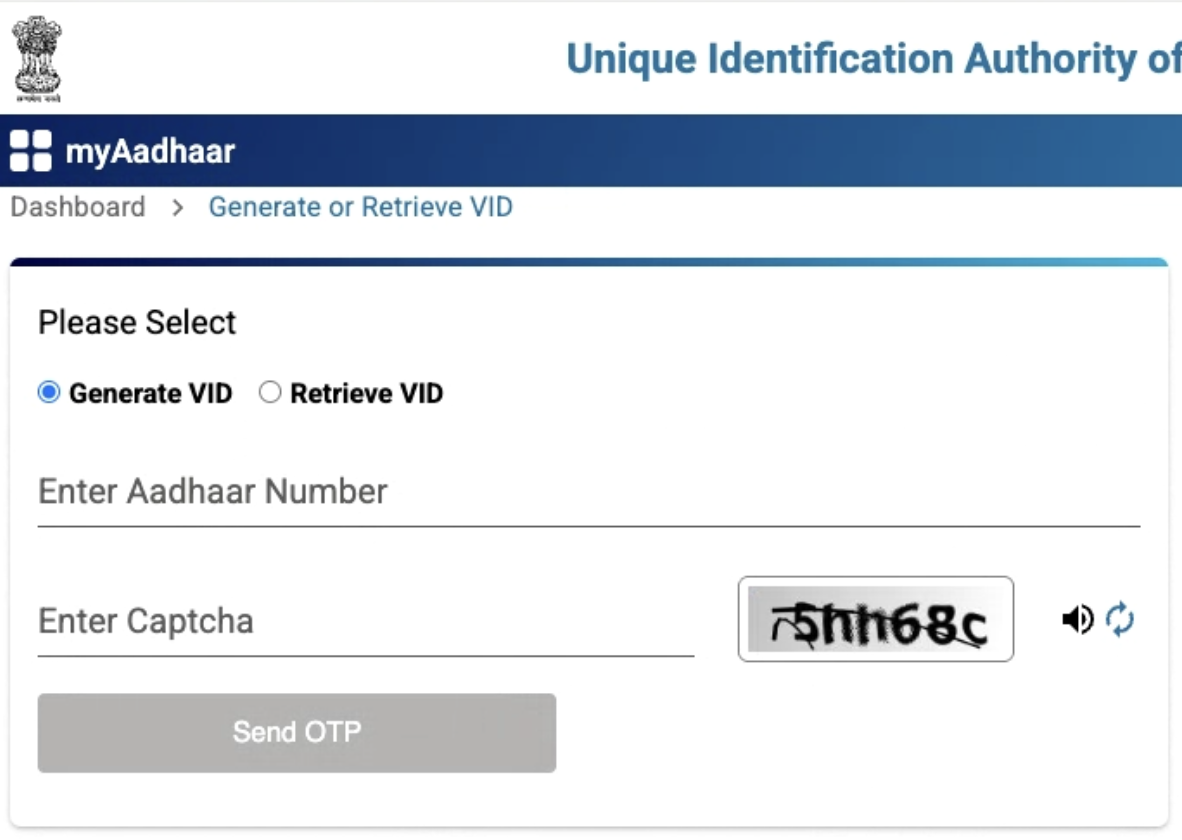
- Generate/Retrieve VID: Choose “Generate New VID” or “Retrieve Existing VID”.
- Get VID: Your VID will show on the screen and will be sent to your registered mobile number.
UIDAI Support
UIDAI oversees the Aadhaar system and ensures it runs safely across India. It manages Aadhaar Seva Kendras, enrollment centres in banks and post offices, and online platforms such as the My Aadhaar portal and mAadhaar app.
The main office is in New Delhi, with others in cities like Bengaluru, Mumbai, and Hyderabad. Chairperson Neelkanth Mishra and CEO Bhuvnesh Kumar lead UIDAI.
For help, people can call 1947 (toll-free) or email help@uidai.gov.in for support in different languages.